
Subagents are a context-management trick, not a parallelism trick
Imagine you hire a brilliant assistant. Not a person — one of the new AI assistants, the kind that can open your files, look things up, and get real work done for you. There's a catch nobody warns you about when you start, and it took me a while to notice. This post is about that catch, and the simple trick that fixes it.
No technical background needed. If you've ever worked at a desk that slowly filled up with clutter, you already understand the main idea.
The whiteboard that fills up
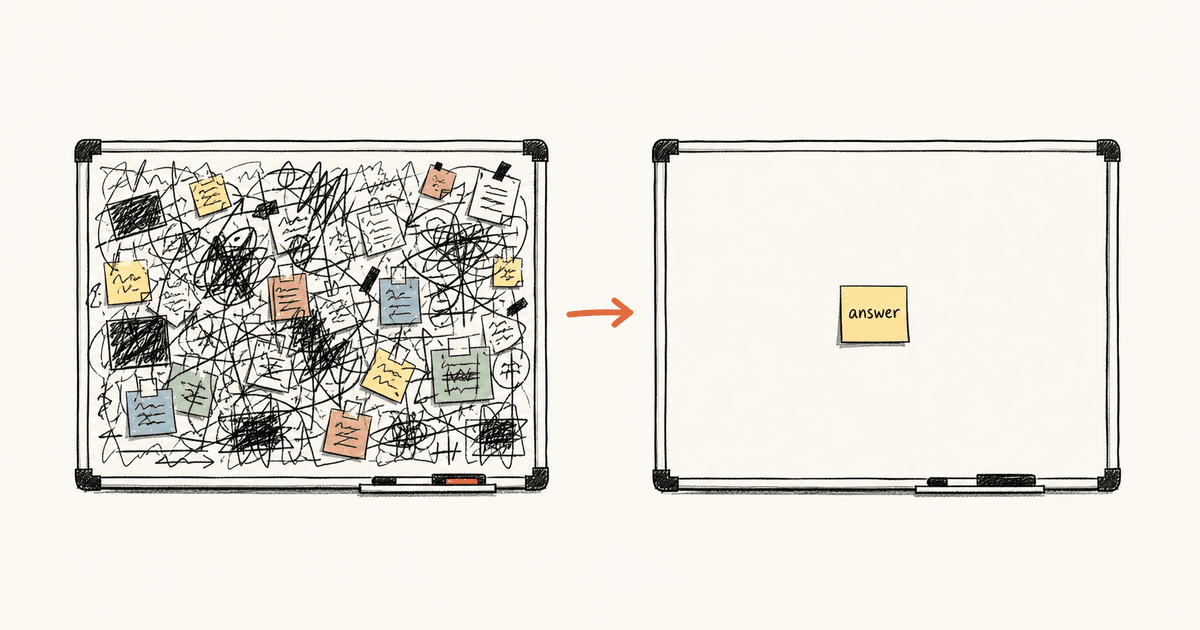
Picture the AI's memory as a whiteboard. Everything it looks at while helping you gets written on that board — every document it opens, every note it takes, every list it pulls up. (People who build these tools call this memory the "context." Same thing: it's the AI's whiteboard.)
Here's the catch: it doesn't wipe the board clean as it goes. It just keeps writing. More and more, all session long.
At first that's fine. But a whiteboard only holds so much. Once it's crammed corner to corner, the AI has to squint past all the old scribbles to find the one thing that matters right now. Its answers get fuzzier. Eventually the board is so full it has to rub out a big chunk and replace it with a short summary — and sometimes it erases the exact thing you still needed.
So the real problem in a long work session isn't that the AI is slow. It's that its whiteboard fills up. Keep the board clean and the AI stays sharp. Let it fill up and the AI gets worse — no matter how clever it is underneath.
Sending a helper to the back room
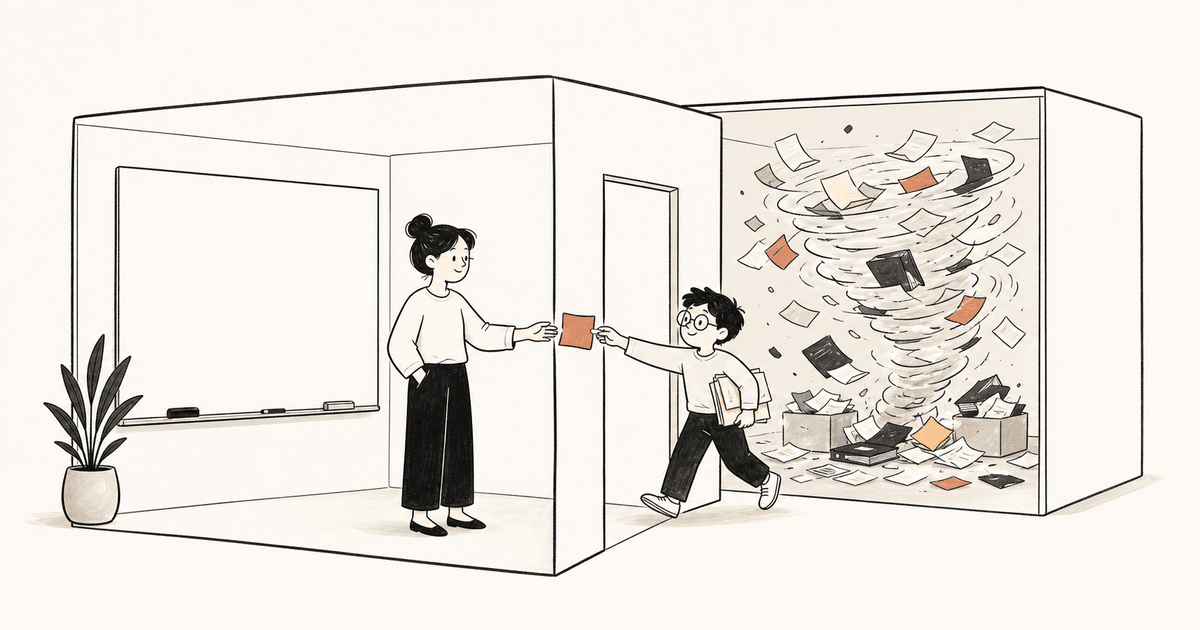
Now the trick. Most of these AI tools let your main assistant send out a helper — a second, smaller assistant — to handle a messy job and report back. (The technical name for this helper is a "subagent." I'll just call it a helper.)
Say you need to know every place in a huge stack of paperwork that mentions one customer's name. Your main assistant could dig through every folder itself — but then all that paper ends up scribbled across its whiteboard. So instead, it sends a helper. The helper goes into a separate back room, with its own separate whiteboard, pulls every folder, makes a giant mess, and finds the answer. Then it walks back out and hands you a single sticky note: "Found it in these five spots."
All the digging still happened. All the mess still got made. But none of it touched your assistant's whiteboard. Your assistant just got the sticky note.
That's the whole idea. The helper isn't there to finish faster. It's there to keep the mess out of your assistant's memory. You're letting someone else's whiteboard get filthy so that yours stays clean.
Two kinds of helper
These tools usually give you more than one kind of helper. (I'll use the names from Claude Code, the tool I work in, but most AI coding tools have something similar.)
One kind is a scout, called Explore. It's only allowed to look, never to change anything. You hand it a vague question — "where in all of this is the part about logins?" — and it reads just enough to come back with the answer, not the whole pile. Quick, light, leaves your board clean.
The other kind is a full worker, the general-purpose helper. This one can actually change things, not just look. You send it when the job itself is big, not just when you want to find something.
The difference between them isn't speed. It's how much mess each one is willing to take off your hands.
"But isn't this about doing lots of things at once?"
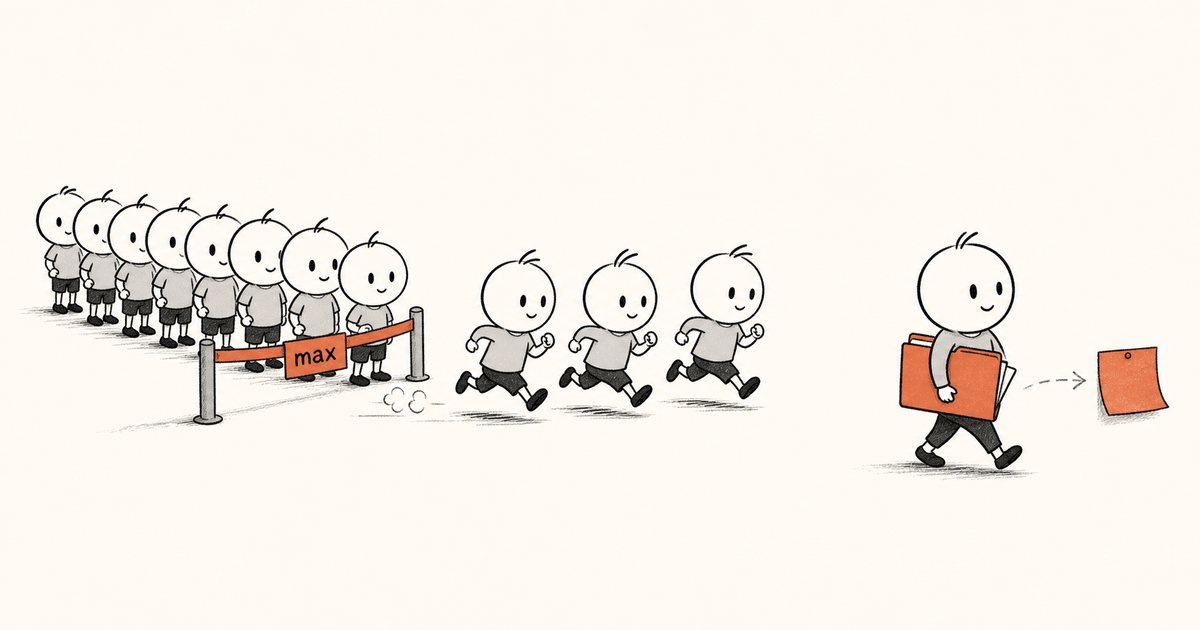
Here's where most people — me included — get it backwards. When you hear "send out helpers," you picture a whole army of them working at the same time, blasting through everything in a flash. Faster, faster, faster.
You can run several helpers at once. But there's a ceiling: only a handful actually run together, no matter how many you ask for. Each one takes a moment to set up. And they can't talk to each other while they work — each goes quiet, does its thing, and comes back at the end with its answer.
So "doing lots at once" only really pays off in special cases: a big batch of separate jobs that have nothing to do with each other. That's real, but it's rare.
The thing I actually reach for every single day is one helper, sent off alone, for one reason — I don't want its mess on my whiteboard. Nothing fast or fancy about it. I send one, I wait, it comes back with a sticky note. Worth it every time, because what it hands me is tiny and what it dealt with was huge.
When to send a helper — and when not to
Once I stopped asking "will this be faster?" and started asking "will this dump a load of clutter on my whiteboard?", the choice got easy.
Send a helper when:
- You just want the answer, not the messy search behind it. ("Where is this?" "Does this exist anywhere?")
- The job means reading a lot to find a little.
- It's a one-time bit of digging you want summed up, not kept around forever.
Don't send one when:
- You actually need to see the messy details yourself, because your next steps depend on them. The helper throws the mess away and brings back only a summary — wonderful when you didn't want the mess, useless when you did.
- The job is so small that sending a helper is more hassle than just doing it yourself.
The simple version
Think of your AI's memory as a small whiteboard, and a helper as a way to do the messy work on someone else's board instead of your own.
The payoff isn't a faster job. It's that your assistant's board stays clean — which keeps it sharp hours into the work, long after a cluttered board would have turned to mush.
Yes, helpers can run side by side. But that's a nice bonus, not the point. The real reason to use one is to forget — to let the mess happen somewhere you'll never have to look again. Once that clicked for me, these helpers went from "a thing I hoped would speed me up" to "the thing that stops my AI from getting dumber as the day goes on."
Md. Tausif Hossain leads engineering at DevTechGuru and runs TechnicalBind, an independent software studio. He writes about AI-assisted engineering, distributed teams, and the craft of shipping. Reach him at tausif.bd or @tausif1337.
Newsletter
Get new posts in your inbox.
New posts, in your inbox. Nothing else goes to that list.